
How can I create a registration account, and purchase a course from AlphaStar Academy?
Follow the steps below to create an account, and purchase a course;
- Go to app.alphastar.academy and find a course to buy

- Click on enroll button and proceed to registration

- Select a quantity and click on “Add to Event Cart” button

- Either click on “View Event Cart” to view the courses added to the cart or click on “Proceed to Registration” to finalize registration

- Since you are not registered to the site an account has to be created by clicking the Sign Up button

a. User registration screen will be displayed and Parent will enter email address twice and create an account

b. Parent will be redirected to checkout page

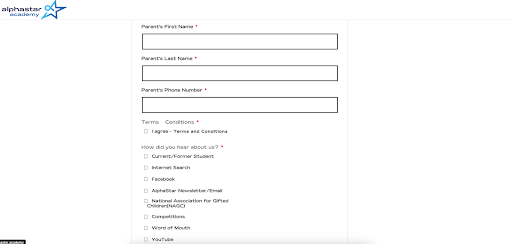
c. Parent will complete the checkout form by filling it out and making a payment
- Course purchase completed! You will get the related emails for your new account information and for the course you registered.
Updated on: 14/07/2026
Thank you!